
If you're searching for a Scrivener alternative, you probably want Scrivener-like structure without the complexity or cost.
Scrivener is powerful. It's been the go-to app for novelists, screenwriters, and researchers for years. But it's also known for its steep learning curve and heavy interface.
QuillSpace takes a different approach: focus-first drafting with just enough organization to manage long projects.
This guide compares both apps so you can decide which one fits your workflow.
Quick Comparison
| Feature | Scrivener | QuillSpace |
|---|---|---|
| Platform | Windows, Mac, iOS (separate purchases) | Windows |
| Best for | Complex projects, heavy outlining | Focused drafting + simple structure |
| Learning curve | Steep | Minimal |
| Interface | Feature-rich, dense | Clean, distraction-free |
| File format | Proprietary project files | Standard Markdown |
| Pricing | $59.99 per platform | $1.99/month, $14.99/year, or $39.99 lifetime |
What Scrivener Does Best
Scrivener, built by Literature & Latte, positions itself as a "complete writing studio" for long, complex documents.
Its core strength is the organizational triad:
- Binder: A sidebar showing your entire manuscript structure
- Corkboard: Virtual index cards for visual planning
- Outliner: Spreadsheet-style view of scenes and chapters
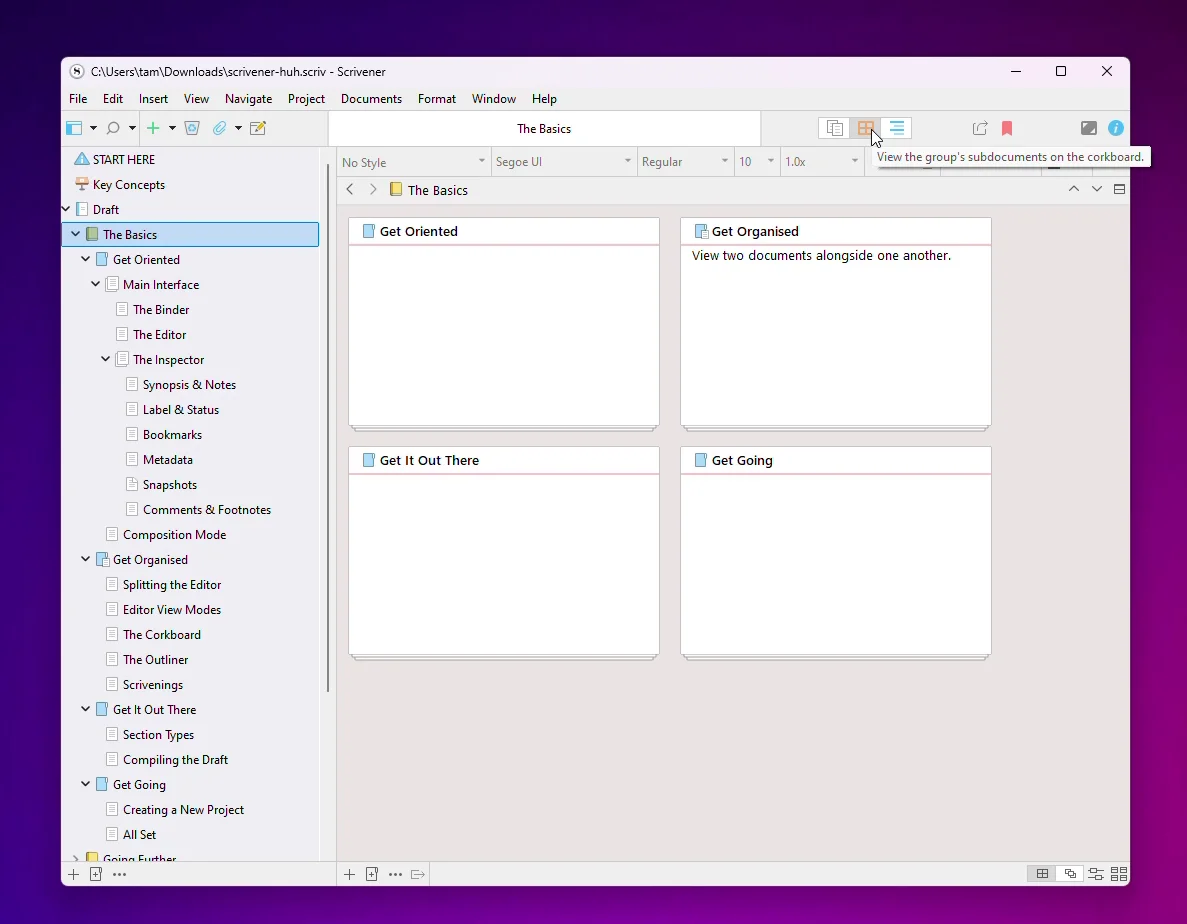
Scrivener also has a powerful Compile feature that stitches your project together for export to Word, PDF, ePub, and other formats.
If you're writing a research-heavy thesis, a multi-part novel series, or a screenplay with detailed scene breakdowns, Scrivener's depth makes sense.
The Trade-offs
That power comes with friction:
- Steep learning curve (many writers never use half the features)
- Heavy, cluttered interface
- Separate purchases for each platform ($59.99 Windows + $59.99 Mac + $23.99 iOS)
- Proprietary project format (not portable Markdown)
For writers who just want to open an app and write, Scrivener can feel like overkill.
What QuillSpace Does Best
QuillSpace is built around two ideas: Focus + Structure.
Instead of giving you every possible feature, it gives you the features that matter for daily writing:
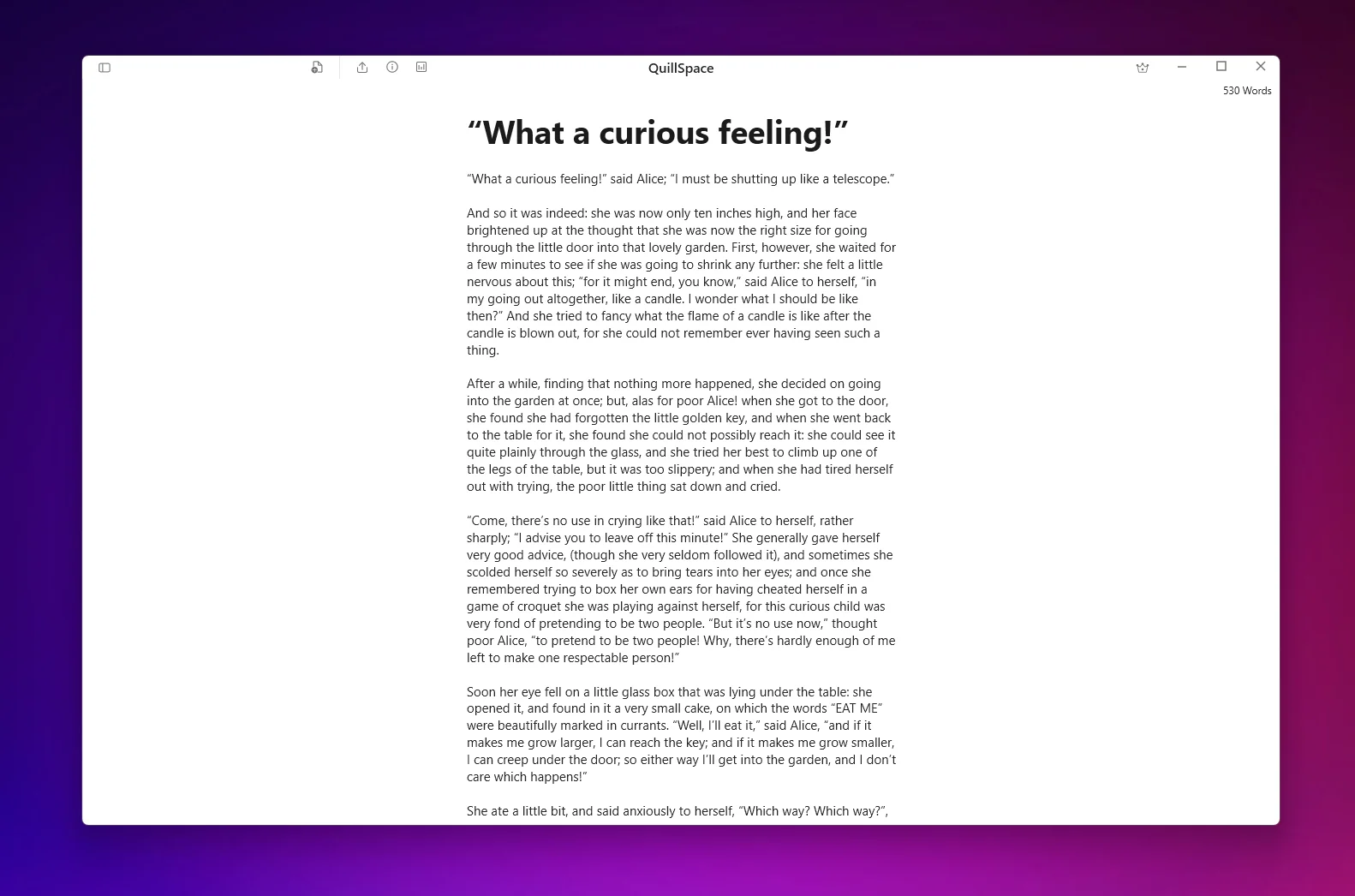
- Focus Mode: Highlight only the sentence or paragraph you're working on
- Full-screen writing: No toolbars, no distractions
- Typewriter scrolling: Keep your current line centered
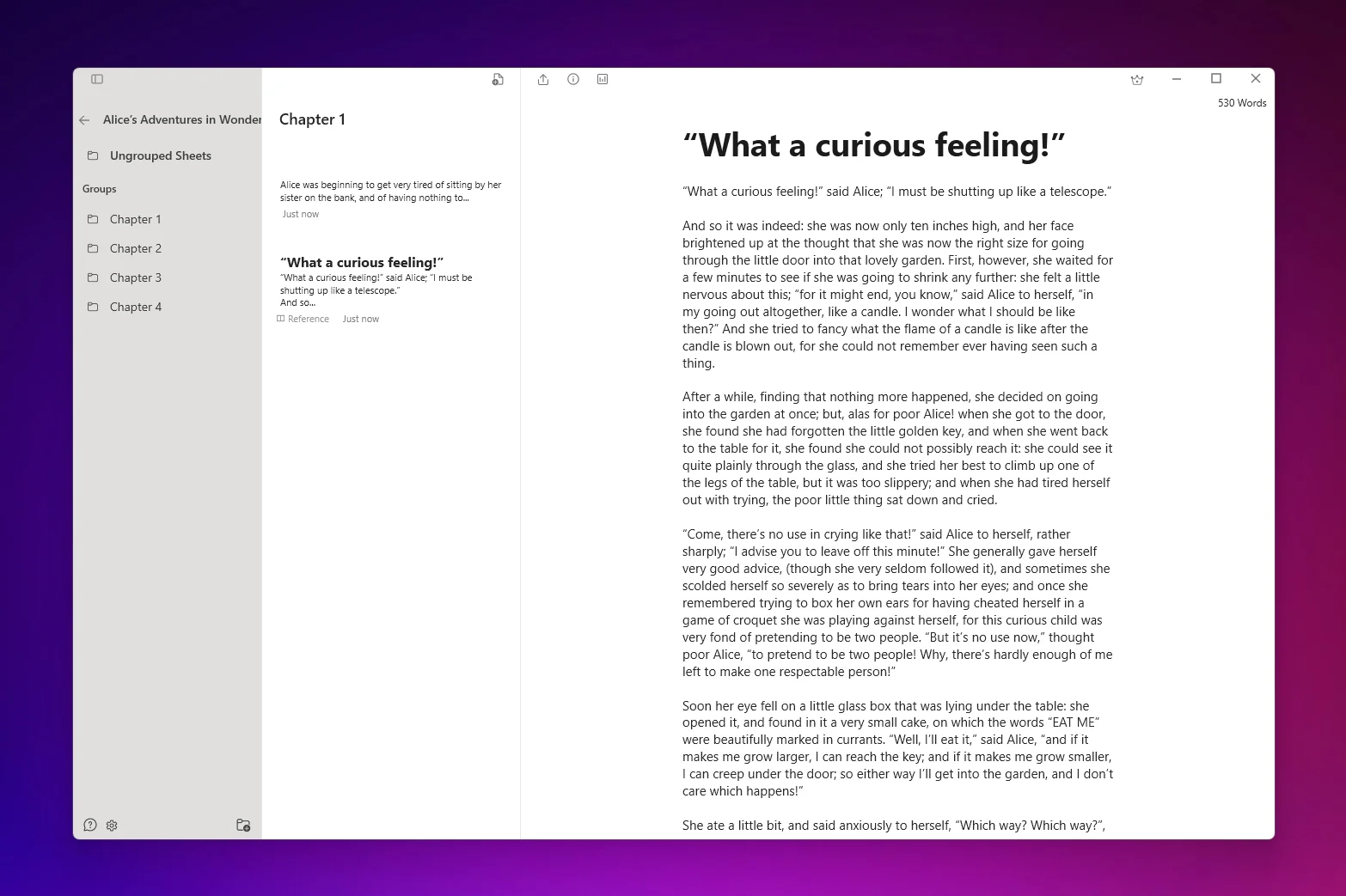
- Project folders: Organize books, chapters, and notes
- Smart filters: Saved searches across your library
- Markdown support: Format without lifting your hands from the keyboard
File Portability
QuillSpace saves your work as standard Markdown files in your Documents folder. Your drafts aren't locked into a proprietary format.
You can:
- Open your files in any text editor
- Sync via OneDrive, Dropbox, or any cloud service
- Export to PDF, Word, or HTML when you're ready
Scrivener for Windows and Windows 11
If you're specifically looking for Scrivener for Windows, here's what you need to know:
- Scrivener 3 for Windows requires 64-bit Windows 10 or later
- Windows 11 is supported
- The trial is 30 days of actual use (not calendar days)
One caveat: if you're on an older version (Scrivener 1), it wasn't tested for Windows 11. You may need to upgrade to Scrivener 3.
QuillSpace requires Windows 10 version 1809+ and is optimized for Windows 11. It's distributed through the Microsoft Store for easy installation and automatic updates.
How Much Does Scrivener Cost?
This is where Scrivener's multi-platform model adds up:
- Scrivener for Windows: $59.99
- Scrivener for Mac: $59.99
- Scrivener for iOS: $23.99
Each platform is a separate purchase. If you use Windows at home and Mac at work, you're paying $119.98 for desktop alone.
Major version upgrades (like Scrivener 2 to 3) may require additional payment.
QuillSpace Pricing
QuillSpace offers flexible pricing:
- Monthly: $1.99/month
- Yearly: $14.99/year
- Lifetime: $39.99 (one-time, all future updates included)
The lifetime option is less than a single Scrivener desktop license, and you never pay again.
Who Should Choose Scrivener?
Scrivener is the right choice if:
- You're managing complex, research-heavy projects
- You need deep outlining tools (Corkboard, Binder, Outliner)
- You want a robust Compile workflow for publishing
- You need to work across Mac, Windows, and iOS
- You don't mind investing time to learn the interface
Who Should Choose QuillSpace?
QuillSpace is the right choice if:
- You want to open the app and start writing immediately
- You need project organization without a heavy interface
- You prefer clean, distraction-free drafting
- You want portable Markdown files, not proprietary formats
- You're a Windows user who wants a native, fast experience
- You prefer flexible pricing (monthly, yearly, or lifetime)
In writing communities, people often search for a "Scrivener knock-off"—meaning Scrivener-like structure, but simpler. That's exactly what QuillSpace delivers.
Other Scrivener Alternatives
If you're exploring options beyond QuillSpace and Scrivener:
- yWriter: Free, chapter/scene-based organization. Dated interface but functional for fiction.
- FocusWriter: Free, pure distraction-free writing. No project management.
- SmartEdit Writer: Free novel-writing software (formerly Atomic Scribbler).
For a deeper comparison, see our guide: Best Writing Apps for Windows in 2026.
The Bottom Line
Choose Scrivener if you need a full writing studio with deep planning tools and don't mind the learning curve.
Choose QuillSpace if you want Scrivener-level organization with a cleaner interface, lower cost, and a focus on daily writing flow.
Ready to Try QuillSpace?
Experience distraction-free writing with just enough structure.
Download from Microsoft StoreDisclosure: This article is published by QuillSpace. We've done our best to provide honest, accurate comparisons. Pricing and features are current as of March 2026 and sourced from each product's official website.
Last updated: March 16, 2026