
You sit down to write. Then you check email. Then Slack. Then you adjust the font size. Then you Google something "real quick."
An hour later, you've written nothing.
If this sounds familiar, you need a distraction-free writing app: software designed to eliminate everything except you and your words.
This guide compares the best options in 2026, including:
- Minimal text editors (Calmly Writer, FocusWriter, Typora)
- Premium focus tools (iA Writer, Bear)
- Constraint-based apps that lock you in (Cold Turkey Writer)
- Dedicated writing devices (Freewrite, reMarkable)
We'll also cover which apps work offline. That matters if you write on planes, in cafes, or anywhere with unreliable internet.
Quick Comparison: Distraction-Free Writing Apps
| App | Price | Platforms | Offline | Best For |
|---|---|---|---|---|
| QuillSpace | Windows: $1.99/mo, $14.99/yr, or $49.99 lifetime. Mac: $49.99 lifetime | Windows, Mac (separate apps) | Yes | Focus mode plus full manuscript organization |
| Calmly Writer | ~$15 one-time | Windows, Mac, Linux, Web | Desktop: Yes | Simple distraction-free editor |
| FocusWriter | Free | Windows, Linux | Yes | Free minimalist writing |
| iA Writer | $29.99-$49.99 per platform | Windows, Mac, iOS | Yes | Premium Markdown + cross-device |
| Typora | $14.99 one-time | Windows, Mac, Linux | Yes | WYSIWYM Markdown editor |
| WriteMonkey | Free / donation | Windows, Mac, Linux | Yes | Power users who want customization |
| Cold Turkey Writer | Free / $14.99 Pro | Windows, Mac | Yes | Writers who need forced focus |
| Ommwriter | €9.20 one-time | Windows, Mac | Yes | Ambient/sensory writing experience |
| Bear | $2.99/mo or $29.99/yr | Mac, iOS | Native: Yes | Apple users who want notes + writing |
What Makes a Writing App "Distraction-Free"?
Not all "distraction-free" apps are the same. They fall into three categories:
1. Minimal editors reduce UI noise. They hide toolbars, menus, and formatting options until you need them. Examples: Calmly Writer, FocusWriter, iA Writer.
2. Constraint-based tools force you to write. They lock your screen until you hit a word count or time goal. Example: Cold Turkey Writer.
3. Hardware devices remove temptation entirely by limiting what the device can do. Examples: Freewrite, reMarkable.
The right choice depends on your problem. If you get distracted by your phone, a minimal editor won't help much. If you procrastinate by "researching," a lockout tool might be what you need.
Best Distraction-Free Writing Apps (Software)
QuillSpace - Best When Your Project Outgrows a Minimal Editor
Most distraction-free apps force a trade-off: you get a clean writing space, but you lose organization features. QuillSpace is different.
It combines Focus Mode (highlight only the current sentence or paragraph) with full manuscript organization: groups and sub-groups for chapters, characters and research, with sheets you drag to reorder. You get the calm of a minimal editor, plus the structure you need when your project outgrows one. Our Focus mode guide shows how to turn it on.
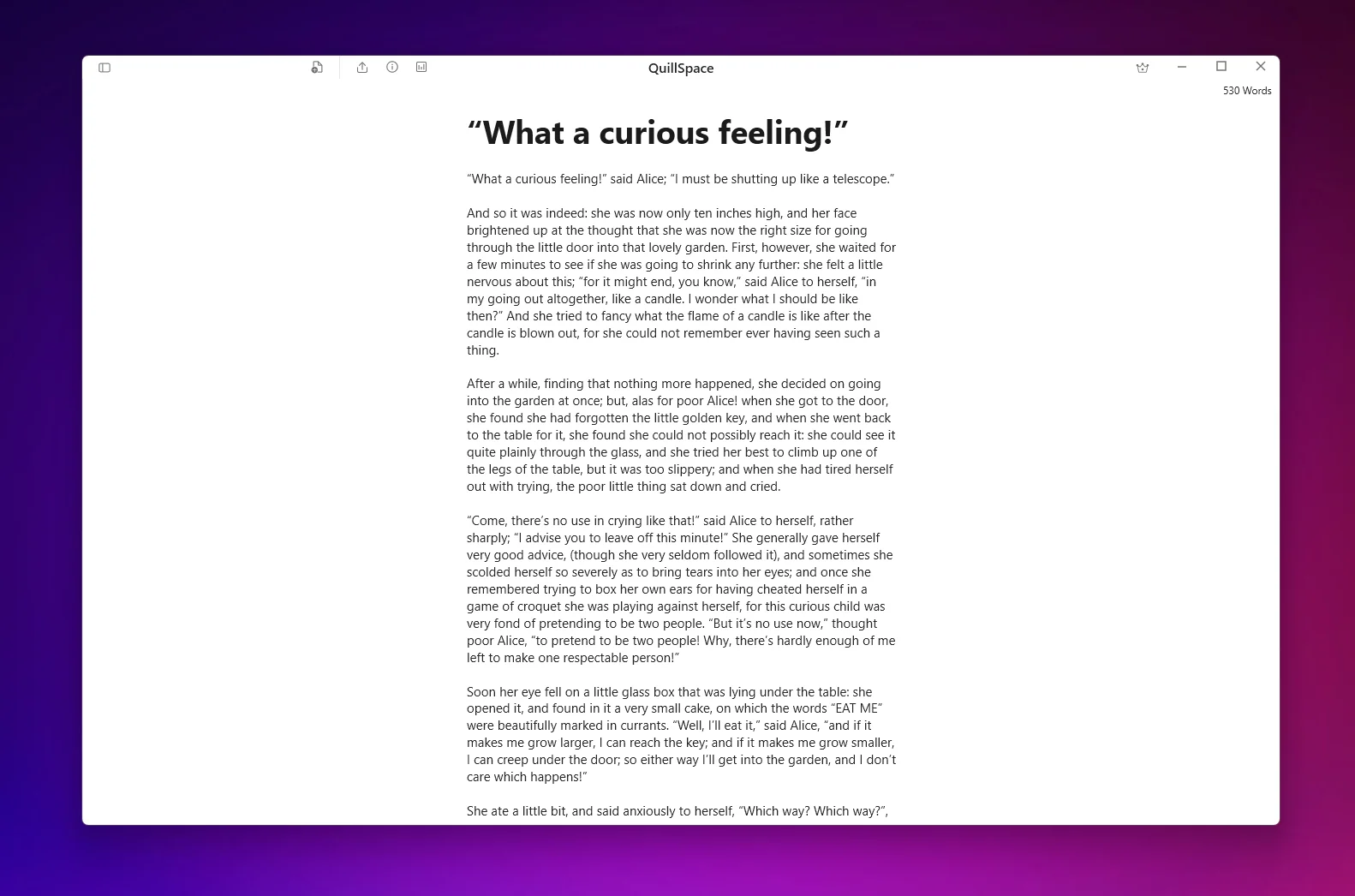
Key features:
- Focus Mode: Sentence or paragraph highlighting
- Full-screen writing (Windows): Press F11 to remove all UI
- Typewriter scrolling: Keep your current line centered
- Groups and sub-groups: Organize books, chapters and scenes, nested as deep as you need
- Optional Markdown editor (Windows): Format without touching the mouse
- Offline: Works without internet, saves locally
Your work is saved as plain text files on your own computer, not in someone else's cloud.
Pricing: Windows: $1.99/month, $14.99/year, or $49.99 lifetime (all future updates included). Mac: $49.99 one-time lifetime.
Platforms: Windows 10 or later and macOS 15 or later. They are separate apps, purchased separately.
Best for: Writers who want focus mode plus full manuscript organization, for when a project outgrows a minimal editor.
Free to start. Windows and Mac are separate apps, purchased separately.
Calmly Writer - Simple Distraction-Free Editor
Calmly Writer is one of the most straightforward distraction-free editors. Open it, start typing, and the interface fades away as you write.
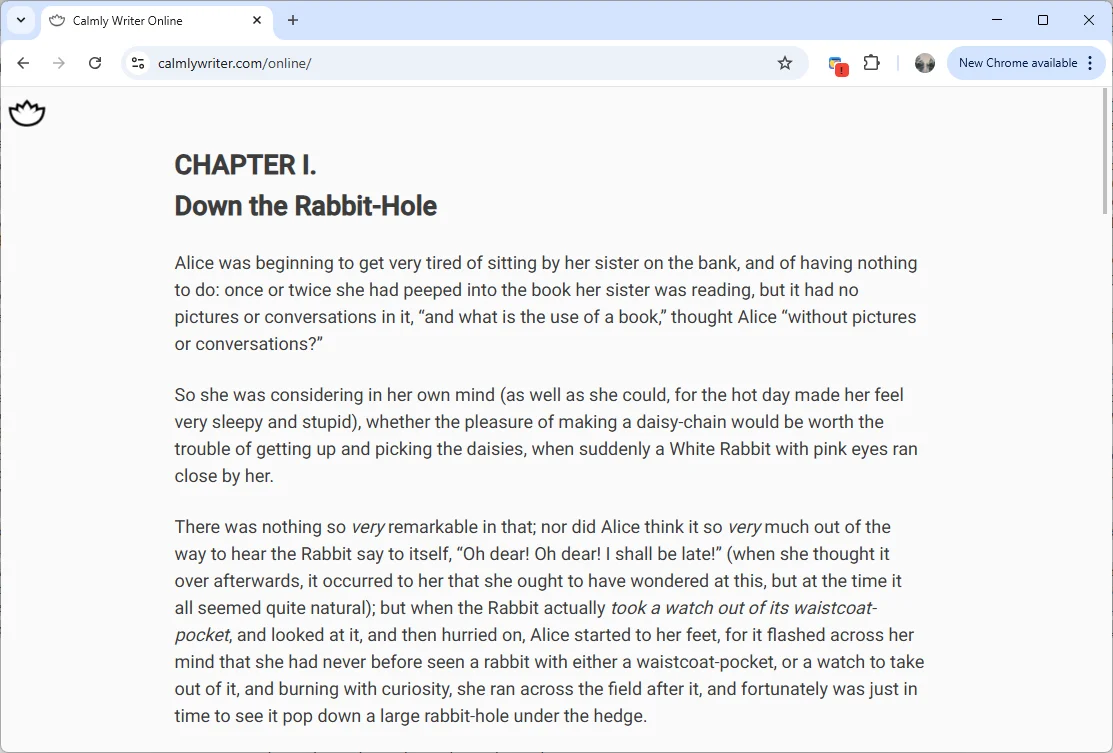
It has a focus mode that highlights the current paragraph and dims everything else. The UI is deliberately minimal: no complex features to learn.
The desktop app works fully offline. There's also a web version (Calmly Writer Online) that integrates with Google Drive, but the web version depends on internet connectivity.
Pricing: One-time license around $15 (covers up to 3 computers). Unlimited free evaluation.
Platforms: Windows, Mac, Linux (desktop); Web.
File formats: TXT, HTML, Markdown, DOCX, PDF (desktop), plus proprietary Calmly format.
Caveat: Some users have reported data loss issues with the web version when clearing browser cache. If you use Calmly Writer, stick to the desktop app and keep backups.
Best for: Writers who want the simplest possible distraction-free experience.
FocusWriter - Best Free Option
FocusWriter is a free, open-source distraction-free word processor. It's been around for years and remains one of the best free writing apps for Windows and Linux.
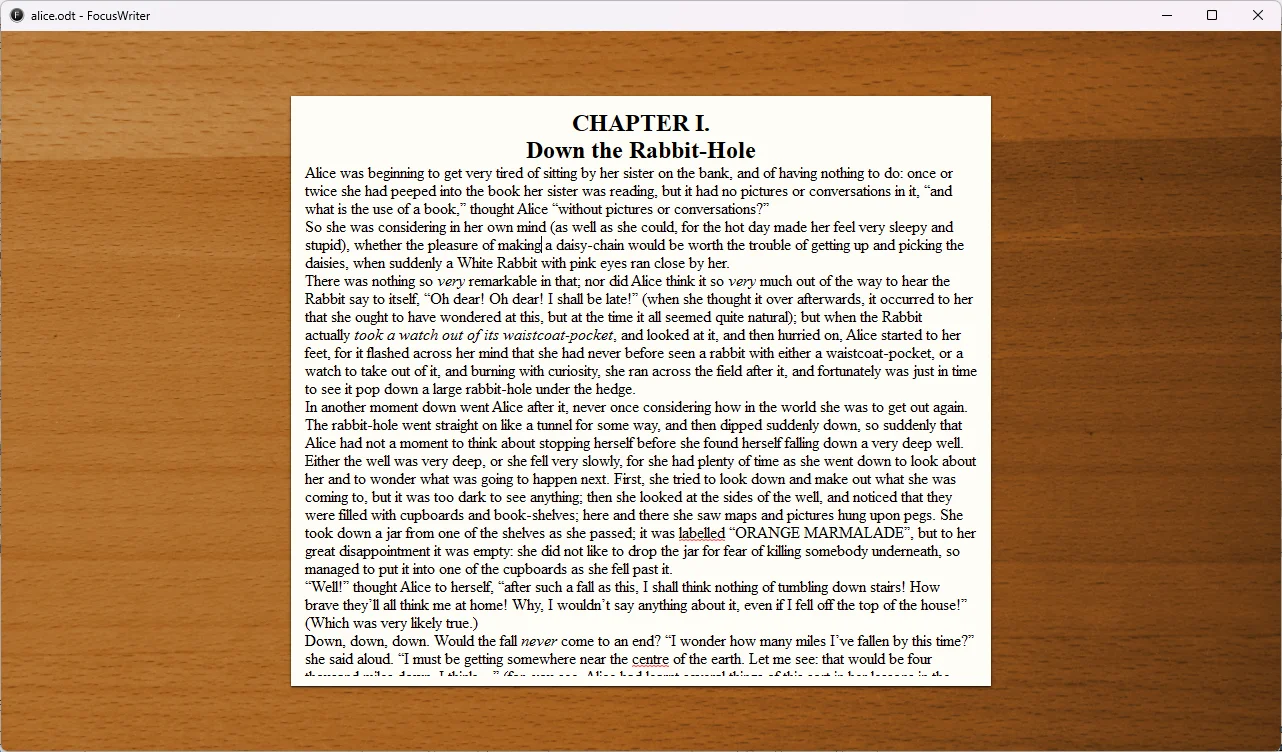
The interface hides away until you move your mouse to the edges. You can focus on the current line, three lines, or paragraph. There's also a "always vertically center" option that works like typewriter scrolling.
Pricing: Free (GPL license).
Platforms: Windows, Linux. (Mac support is limited/unofficial.)
File formats: Plain text, RTF, ODT.
Limitation: No Markdown support. If you write in Markdown, look elsewhere.
Best for: Budget-conscious writers on Windows/Linux who want a no-cost focus writing app.
iA Writer - Premium Markdown Focus
iA Writer is the premium option for Markdown writers who want a polished, cross-platform experience.
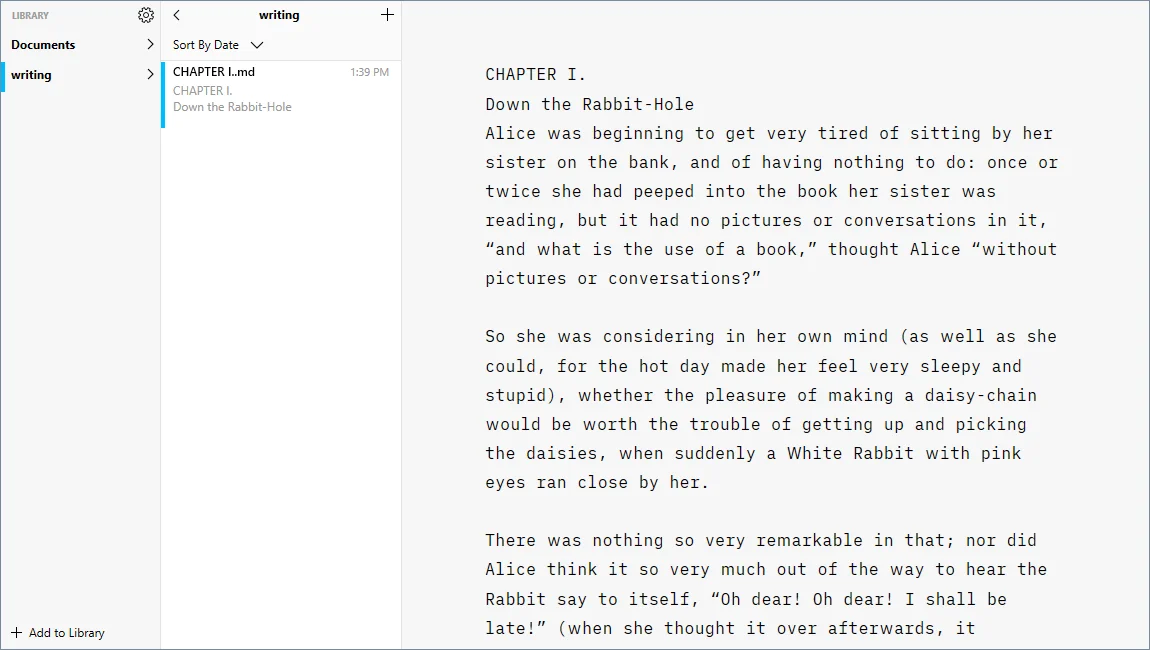
It has Focus Mode (highlight current sentence) and Typewriter Mode (keep cursor centered). The interface is clean and opinionated: you can't customize much, but that's the point.
iA Writer works offline even when using iCloud. Your documents are saved locally and sync when you reconnect.
Pricing: Mac $49.99, Windows $29.99, iPhone/iPad $19.99. Each platform is a separate purchase. 2-week free trial on Mac/Windows. 30-day refund on Windows (via Paddle).
Platforms: Mac, Windows, iPhone, iPad. (Android is discontinued.)
File formats: Plain text Markdown; exports to PDF, Word (.docx).
Best for: Markdown writers who want premium polish and are willing to pay per platform.
If you loved Ulysses on the Mac, here is what to use instead: Ulysses for Windows alternatives.
Typora - Best WYSIWYM Markdown Editor
Typora takes a "what you see is what you mean" approach to Markdown. As you type Markdown syntax, it renders immediately: no split pane, no preview mode.
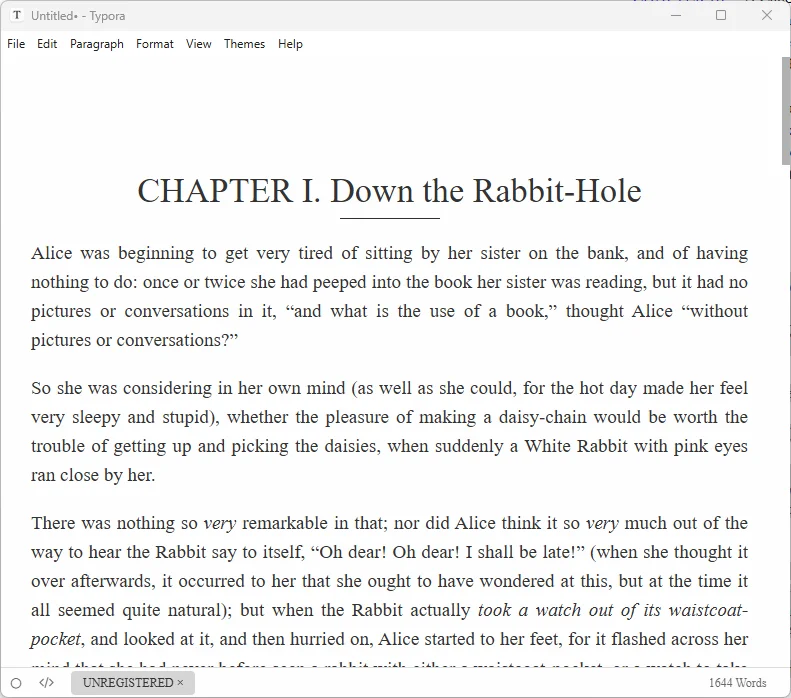
It includes Focus Mode and Typewriter Mode. Everything is local and file-based, making it one of the most reliable offline writing apps.
Pricing: $14.99 one-time. 15-day free trial. 30-day refund.
Platforms: Windows, Mac, Linux.
File formats: Standard Markdown (.md) saved directly to your filesystem.
Best for: Technical and long-form Markdown writers who want seamless WYSIWYM editing.
WriteMonkey - For Power Users
WriteMonkey is a keyboard-first writing environment with deep customization. Version 3 includes full-screen mode, adjustable typewriter scrolling, and paragraph/sentence highlighting with dimming.
It's free to use, with some plugin features unlocked by donation. There's no built-in cloud sync (it's on the roadmap as "missing"), which makes it truly offline-first.
Pricing: Free; donation unlocks some plugins.
Platforms: WriteMonkey 2 is Windows-only. WriteMonkey 3 supports Windows, Mac, Linux.
File formats: Pure text, Markdown; uses local database storage plus text files.
Best for: Power users who want a keyboard-centric, highly customizable focus environment.
Cold Turkey Writer - Forces You to Write
Cold Turkey Writer takes a different approach: it locks you in until you hit a word count or time goal. You can't exit, switch apps, or browse the web until you're done.
The Pro version goes further: you can disable backspace/delete, forcing you to write forward without editing.
This is the most extreme "distraction-free" option. It's not for everyone, but if you procrastinate heavily, it works.
Pricing: Free version available. Pro ~$14.99 one-time. No Pro trial; the free version demonstrates the experience. 30-day refund available.
Platforms: Windows, Mac. (No Linux, mobile, or ChromeOS.)
File formats: Plain text (.txt) only. You format later in another editor.
Best for: Writers who need the most aggressive anti-procrastination tool.
Ommwriter - Ambient Writing Experience
Ommwriter creates a "writing bubble" with nature-inspired backgrounds and ambient soundscapes. It's less about hiding UI and more about creating a mood.
It's local-first with no cloud dependency. Files save in a proprietary .omm format, but you can export to TXT, PDF, RTF, or DOCX.
Pricing: €9.20 minimum (pay what you want above that). One-time, no subscription.
Platforms: Windows 10/11, Mac. No Linux. iPad app discontinued.
Limitation: No Markdown support. The proprietary format can be a portability concern.
Best for: Writers who want an ambient, sensory writing environment rather than a pure Markdown editor.
Bear - For Apple Ecosystem
Bear is a Markdown-first notes and writing app for Mac, iPhone, and iPad. It's more than a blank page: it includes tagging, organization, and a beautiful interface.
The native apps work offline. Bear Web exists but doesn't store data locally, making it poor for offline use.
Pricing: $2.99/month or $29.99/year. 14-day free trial. Sync requires Pro subscription.
Platforms: Mac, iPhone, iPad only. Bear Web available but limited.
File formats: Markdown with many export options (DOCX, PDF, ePub, etc.) on Pro.
Best for: Apple users who want a notes + writing system with beautiful design.
Best Offline Writing Apps
If you need a writing platform for no wifi, here's how the apps break down:
Fully Offline (No Internet Needed)
- FocusWriter: Local word processor, no cloud features at all
- WriteMonkey: Local storage, cloud sync explicitly not built-in
- Cold Turkey Writer: Local .txt files, autosaves to Documents folder
- Ommwriter: Local files, no cloud model
- QuillSpace: Plain text files stored on your own computer
Offline-Capable with Cloud Sync
- iA Writer: Works offline with iCloud; syncs when reconnected
- Bear: Native apps support offline editing; syncs via iCloud when online
- Typora: Fully local files; optional cloud via your own sync service
Requires Internet for Some Features
- Calmly Writer: Desktop app is offline; web version needs internet
- Bear Web: No local storage; requires internet
Distraction-Free Writing Devices
If software discipline isn't enough, hardware devices remove temptation entirely.
Freewrite
Freewrite is a dedicated "digital typewriter" with an e-ink screen, mechanical keyboard, and no web browser. Drafts sync to a cloud service (Postbox) when Wi-Fi is available, or you can export via USB.
Pricing: $349 / $549 / $699 depending on model. 30-day return policy.
File formats: Plain text (.txt), or export as .docx/.pdf.
Best for: Writers who want a physical device that does nothing but let you write.
reMarkable 2
reMarkable is a paper-like e-ink tablet focused on handwriting and reading. It's not a typing-first device, but many writers use it for drafting by hand.
Core note-taking works offline. Handwriting-to-text conversion requires Wi-Fi.
Pricing: From $399 (includes Marker). Connect subscription $3.99/month (50-day free trial).
File formats: PDF/EPUB import; PDF/PNG/SVG export.
Best for: Writers who think best by handwriting and want minimal digital distraction.
Supernote
Supernote is an e-ink notebook with broader file compatibility and a focus on longevity (replaceable battery, upgradable motherboard).
Works offline for core features. Optional sync via Supernote Cloud, Dropbox, or Google Drive.
Pricing: ~$505 for Manta model. 30-day returns, 2-year warranty.
File formats: Native .note plus PDF, EPUB, Word, TXT.
Best for: Writers who want e-ink with more file flexibility than reMarkable.
Which Distraction-Free Writing App Should You Choose?
If your project has outgrown a minimal editor:
→ QuillSpace: Focus Mode plus full manuscript organization, offline, on Windows or Mac.
If you want free and simple:
→ FocusWriter (Windows/Linux) or Calmly Writer (cross-platform).
If you're a Markdown writer who wants premium polish:
→ iA Writer (cross-platform) or Typora (one-time price).
If you need to be forced to write:
→ Cold Turkey Writer: it literally locks you in.
If you're in the Apple ecosystem:
→ Bear for notes + writing, or iA Writer for pure focus.
If you want hardware-enforced focus:
→ Freewrite for typing, reMarkable for handwriting.
FAQ
What is the best free distraction-free writing app?
FocusWriter is the best free option for Windows and Linux. It's open-source, fully offline, and includes focus features like paragraph highlighting and hide-away UI. For Mac, the free version of Cold Turkey Writer is worth trying.
What's the best offline writing app?
For true offline-first writing: FocusWriter, WriteMonkey, Cold Turkey Writer, and QuillSpace all work completely offline with local file storage. iA Writer and Typora are also excellent offline choices with optional cloud sync.
Is Calmly Writer safe to use?
The desktop app is reliable. However, some users have reported data loss with the web version when clearing browser cache/history. If you use Calmly Writer, use the desktop app and keep regular backups.
What's the difference between Focus Mode and Typewriter Mode?
Focus Mode highlights your current sentence or paragraph while dimming the rest. Typewriter Mode keeps your cursor vertically centered on screen as you type. Many apps offer both.
Are distraction-free writing devices worth it?
It depends on your self-control. If you find yourself constantly switching to other apps, a dedicated device like Freewrite removes that temptation entirely. But at $349+, it's a significant investment compared to free or cheap software solutions.
Do I need a distraction-free app for Windows?
Windows has good options: QuillSpace, FocusWriter, Typora, iA Writer, WriteMonkey, Cold Turkey Writer, and Calmly Writer all support Windows. Many writers feel Windows is underserved for writing apps compared to Mac, but that's changed in recent years.
Ready for Distraction-Free Writing?
QuillSpace combines focus mode with full manuscript organization, for when your project outgrows a minimal editor.
Free to start. Windows and Mac are separate apps, purchased separately.
Disclosure: This article is published by QuillSpace. We've done our best to provide honest, accurate comparisons for every tool listed. Pricing and features are current as of October 2026 and sourced from each product's official website.
Last updated: October 6, 2026