
If you're searching for the best writing apps in 2026, you're probably ready to install something today.
Maybe you're writing a novel.
Maybe you journal daily.
Maybe you're drafting blog posts, client work, or your first book.
But here's the problem:
Most "best writing apps" lists mix Mac apps, browser tools, and generic word processors. Very few focus specifically on writing apps for Windows.
This guide is different.
Below, you'll find a practical, side-by-side breakdown of the best Windows writing apps, including:
- QuillSpace (native Windows writing app)
- Scrivener for Windows
- yWriter
- FocusWriter
- LibreOffice Writer
- Microsoft Word
If you're looking for the best place to write a book on Windows, this guide will help you choose the right tool for your workflow.
Quick Comparison - Best Writing Apps for Windows
| App | Best For | Pricing | Strength |
|---|---|---|---|
| QuillSpace | Focused drafting + structure | $49.99 lifetime | Native Windows performance + distraction-free |
| Scrivener | Complex book projects | $59.99 | Deep structure + Compile |
| yWriter | Free novel structure | Free | Chapter/scene management |
| FocusWriter | Free distraction-free drafting | Free | Minimal UI |
| LibreOffice Writer | Free Word alternative | Free | Formatting + DOCX compatibility |
| Microsoft Word | Editing + collaboration | Subscription or one-time | Industry standard DOCX |
1. QuillSpace - Best Native Writing App for Windows
If you want a Windows writing app built specifically for Windows users, QuillSpace stands out.
Unlike browser-based tools or cross-platform apps that feel "ported," QuillSpace is built native-first for Windows. That means:
- Fast startup
- Smooth performance
- No Electron lag
- No bloated UI
Why QuillSpace is Different
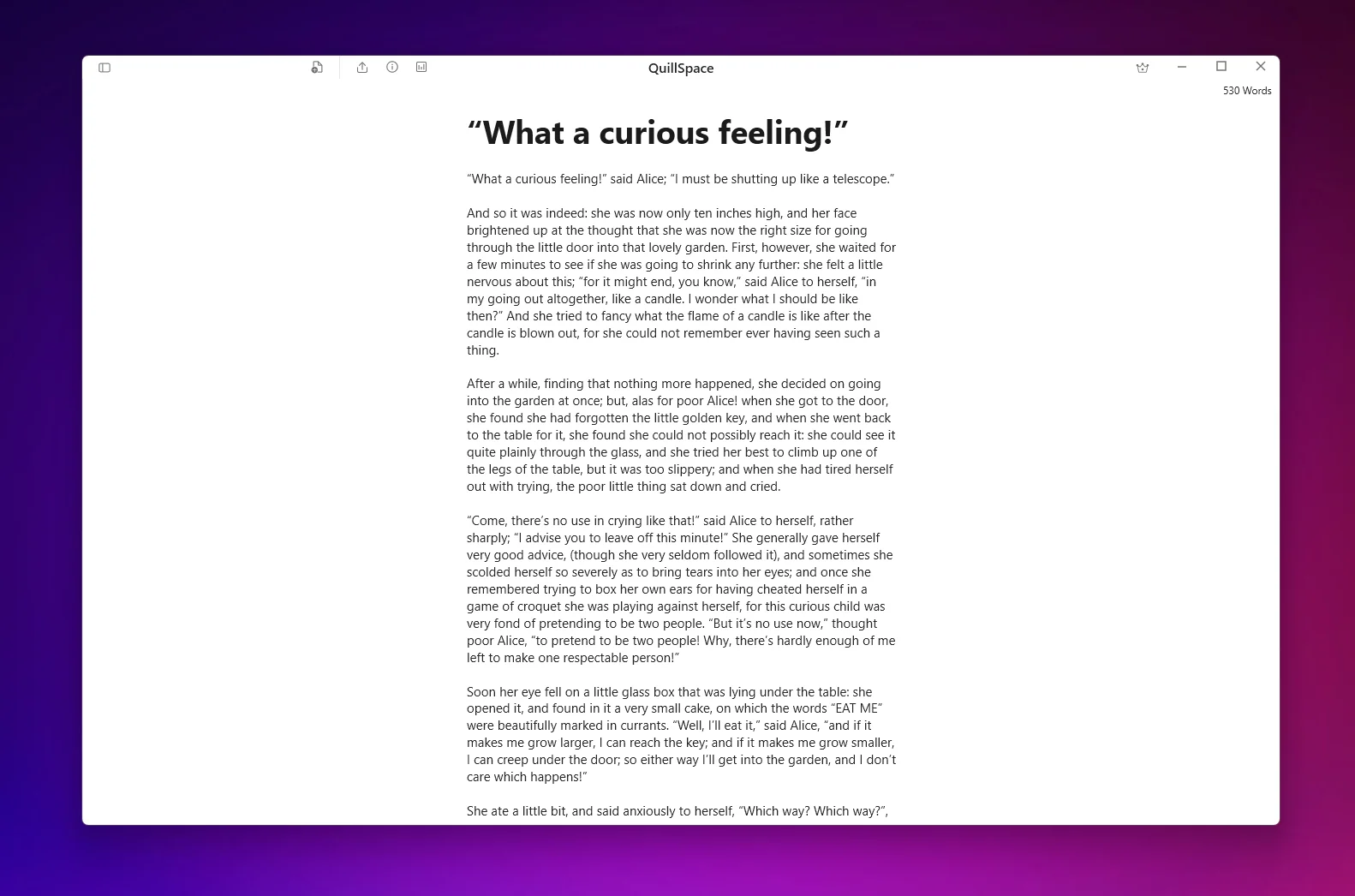
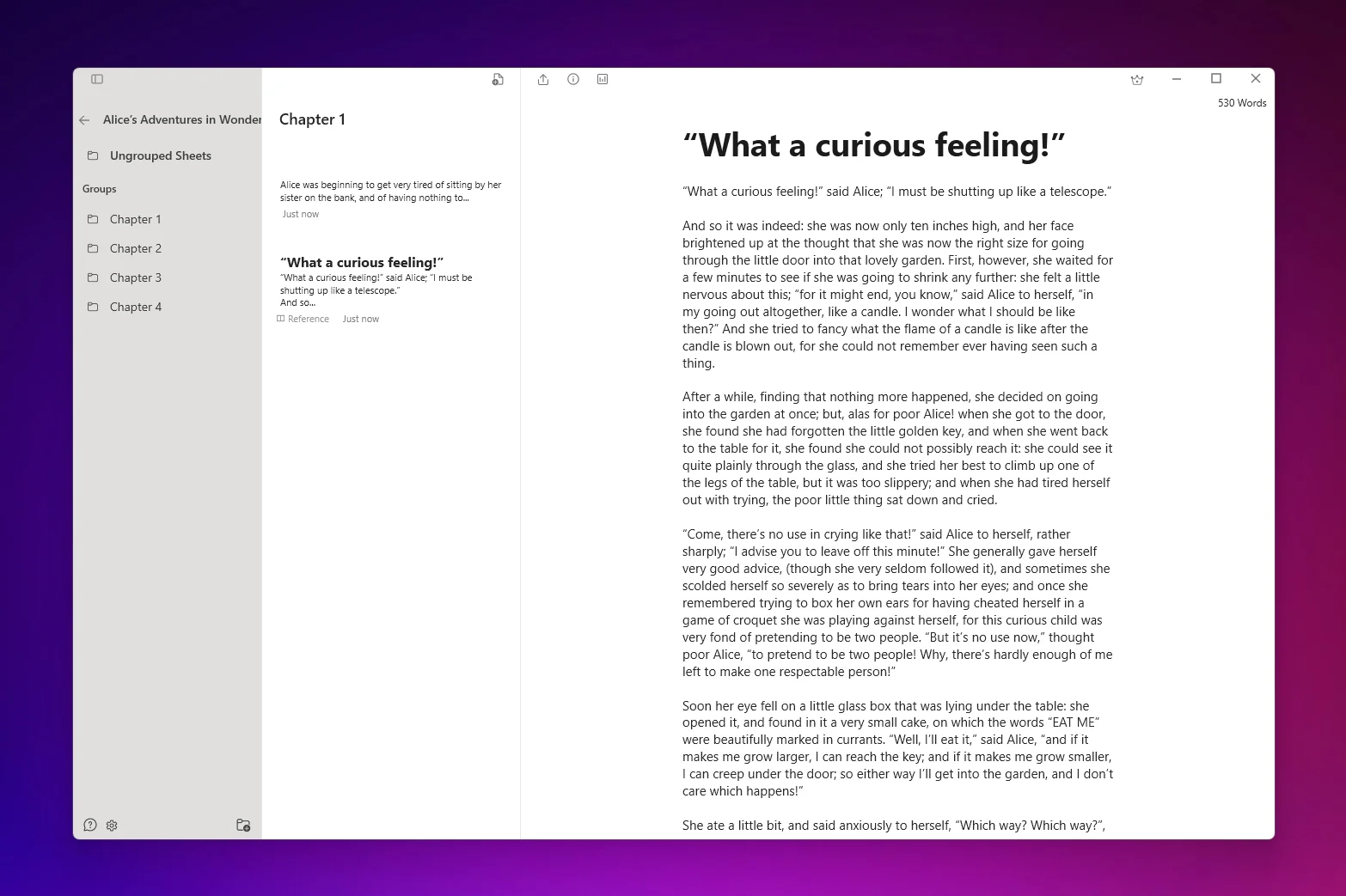
QuillSpace is designed around two core ideas: Focus + Structure.
You get:
- Focus Mode
- Full-screen writing
- Typewriter scrolling
- Project folders (books → chapters)
- Smart filters (saved searches)
- Markdown support
- Word count goals
It hits the sweet spot between:
- Minimal drafting tools (like FocusWriter)
- Heavy project managers (like Scrivener)
If you're searching for the best software to write a book on Windows, this balance matters.
Pricing
- $49.99 lifetime
- All future updates included
- No subscription
For writers who dislike subscriptions, this is a major advantage over Microsoft 365.
Download QuillSpace from Microsoft Store
2. Scrivener for Windows - Best for Complex Book Projects
Scrivener is often mentioned in discussions about the best story writing app or best software to write a book.
It excels at structure.
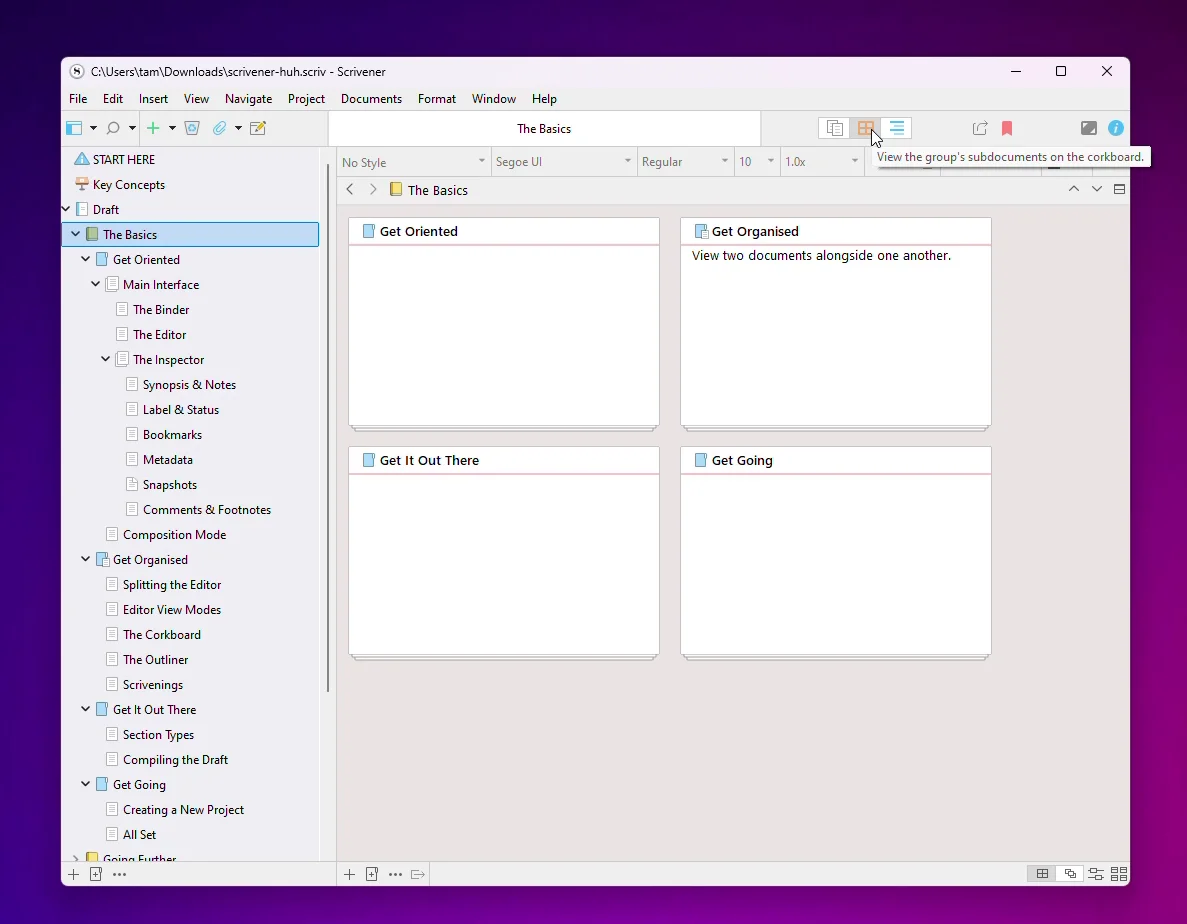
You get:
- Binder view for organizing drafts
- Corkboard (virtual index cards)
- Outliner mode
- Compile feature to assemble manuscripts
Scrivener is powerful, but it has trade-offs:
- Steeper learning curve
- Heavier UI
- Slower workflow for simple daily writing
If you love planning and outlining extensively, Scrivener is excellent.
If you just want to write every day without friction, it may feel overwhelming. If that is you, it is worth browsing the best Scrivener alternatives for Windows and Mac.
Pricing: $59.99 (Windows license)
3. yWriter - Best Free Novel Structuring Tool
If you want a free tool that supports chapters and scenes, yWriter is a strong choice.
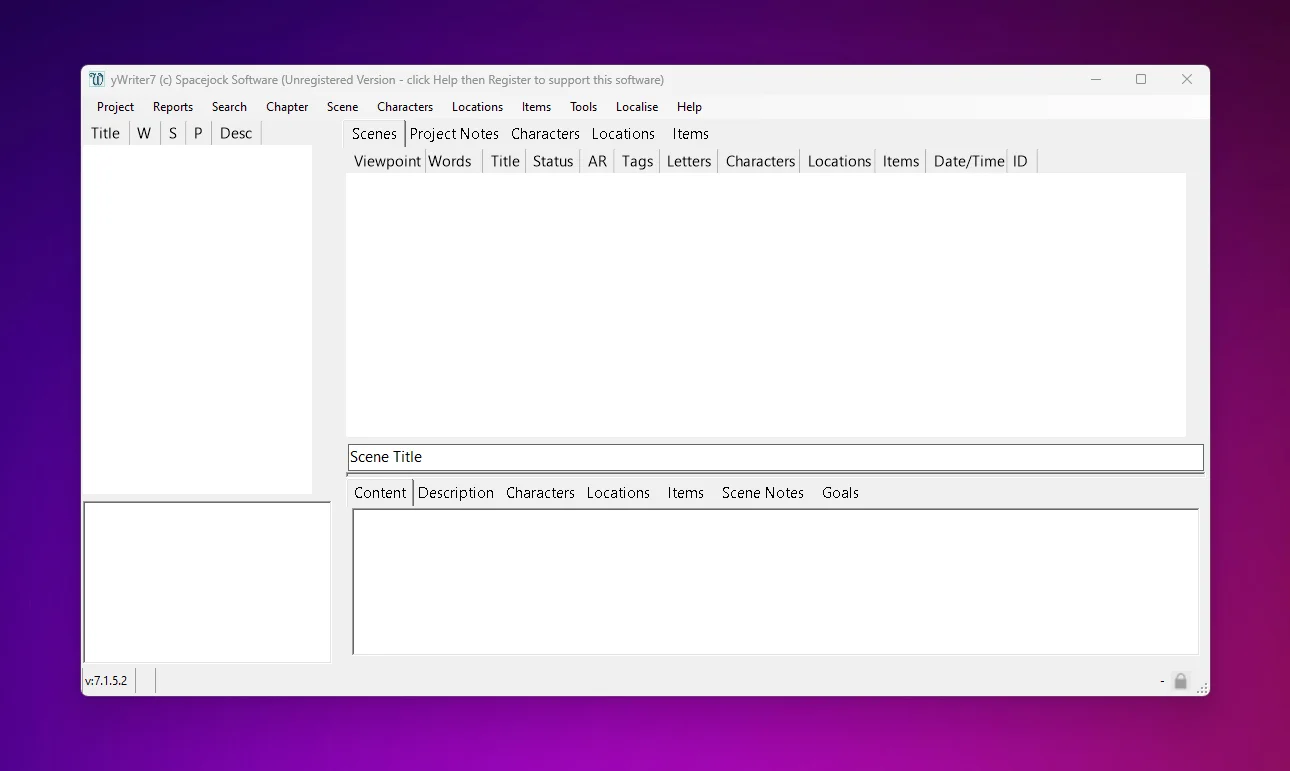
It's built around:
- Chapter-based writing
- Scene management
- Character tracking
- Location tracking
- Progress statistics
Pros:
- Free
- Built for fiction
- Lightweight
Cons:
- Dated interface
- Less polished UI
- Not ideal for modern Markdown workflows
If you're searching for free writing apps for Windows and writing fiction, yWriter is worth trying.
4. FocusWriter - Best Free Distraction-Free Writing App
FocusWriter is a classic minimal writing app.
It removes:
- Toolbars
- Formatting distractions
- Side panels
You just see text.
Best for:
- Daily journaling
- Short-form drafting
- Writers who want zero structure
Not ideal for:
- Managing long book projects
- Organizing multiple documents
If your priority is pure focus, FocusWriter remains one of the best free writing apps available.
5. LibreOffice Writer - Best Free Word Alternative
LibreOffice Writer is a full-featured word processor.
It supports:
- DOC/DOCX
- Styles
- Table of contents
- Page formatting
- Headers/footers
- Large documents
Best for:
- Formatting manuscripts
- Exporting submission-ready files
- Writers who need Word compatibility
It is not designed for distraction-free drafting.
Think of it as a formatting tool, not a creative writing environment.
6. Microsoft Word - Best for Editing and Collaboration
Microsoft Word remains the industry standard.
If you:
- Work with editors
- Submit manuscripts
- Collaborate with teams
- Need Track Changes
Word is still the default choice.
Pros:
- Real-time collaboration
- Industry standard DOCX
- Strong editing tools
Cons:
- Subscription pricing (Microsoft 365)
- Cluttered UI
- Not distraction-free
If your workflow depends on editors and revision cycles, Word is hard to replace.
How to Choose the Best Writing App for Windows
Here's a simple breakdown.
If you want distraction-free writing with structure:
→ QuillSpace
If you want complex book planning tools:
→ Scrivener
If you want free fiction structure:
→ yWriter
If you want pure minimalist drafting:
→ FocusWriter
If you want free formatting + DOCX:
→ LibreOffice Writer
If you need Track Changes and collaboration:
→ Microsoft Word
What Makes a Great Windows Writing App in 2026?
In 2026, the best writing tools share these traits:
- Fast performance
- Clean UI
- Long-project organization
- Export flexibility
- Reasonable pricing model
Many cross-platform apps feel generic.
If you're a Windows user, performance and native integration matter.
That's where QuillSpace stands out.
Why QuillSpace Is the Best Windows Writing App for Most Writers
Most writers don't need:
- Overengineered project databases
- Endless formatting options
- Monthly subscriptions
They need:
- Focus
- Structure
- Speed
QuillSpace delivers:
- Native Windows performance
- Focus Mode
- Project organization
- Markdown support
- Lifetime pricing
If you're searching for the best writing apps for Windows and want something built specifically for your platform, QuillSpace is the most balanced choice in 2026.
Ready to Start Writing?
Download QuillSpace and experience distraction-free writing on Windows.
Download from Microsoft StoreDisclosure: This article is published by QuillSpace. We've done our best to provide honest, accurate comparisons for every tool listed. Pricing and features are current as of March 2026 and sourced from each product's official website.
Last updated: March 3, 2026