
If you're serious about writing, you need the right tools.
But "writing tools" means different things to different writers. Some need a distraction-free drafting app. Others need grammar checkers, research managers, or project tracking systems.
This guide covers the best writing tools across five categories:
- Drafting: Where you write
- Editing: Grammar, style, and clarity
- Research: Citations and source management
- Planning: Project management for authors
- Publishing: Export and formatting
Whether you're writing a novel, blog posts, or nonfiction books, you'll find tools that fit your workflow.
Quick Comparison: Best Writing Tools in 2026
| Tool | Category | Best For | Pricing |
|---|---|---|---|
| QuillSpace | Writing App | Novelists who want manuscript organization without the learning curve | Windows: $1.99/mo, $14.99/yr, or $49.99 lifetime. Mac: $49.99 lifetime |
| Scrivener | Writing App | Complex book projects with deep outlining | $59.99 per platform |
| Ulysses | Writing App | Apple users who want polished focus | $5.99/mo or $39.99/yr |
| Atticus | Writing + Formatting | Indie authors who want all-in-one | $147 one-time |
| Dabble | Novel Writing Site | Novelists who want plotting tools | $9-29/mo or $699 lifetime |
| LivingWriter | Novel Writing Site | Writers who want structure + templates | $12-15/mo or $699 lifetime |
| Novlr | Novel Writing Site | Habit-driven writers with goals | Free, $6-14/mo, or $499 lifetime |
| yWriter | Writing App | Budget writers who want scene structure | Free |
| Microsoft Word | General Writing | Editing, collaboration, submissions | $99.99/yr or $179.99 one-time |
| Google Docs | General Writing | Real-time collaboration | Free |
| Grammarly | Grammar + Style | Fast feedback everywhere you write | Free, Pro $12/mo |
| ProWritingAid | Grammar + Style | Fiction writers who want deeper reports | $120/yr or $399 lifetime |
| Hemingway Editor | Readability | Quick clarity and readability tune-up | $19.99 desktop, Plus $100/yr |
| Zotero | Research | Nonfiction and academic writers | Free, storage $20-120/yr |
| Notion | Project Management | Author OS: outlines, bibles, tasks | Free, Plus $10/mo |
Dedicated Writing Software
These are apps built specifically for writers, not general word processors. They prioritize focus, organization, and the unique needs of long-form writing.
QuillSpace - Best for Windows Writers
If you want to organize a whole book in one place without Scrivener's learning curve, QuillSpace is built for that, on Windows and Mac.
QuillSpace is built to keep a whole book organized, with focus tools for drafting.
You get:
- Focus Mode: Highlight only the sentence or paragraph you're working on
- Full-screen writing (Windows): No toolbars, no distractions
- Typewriter scrolling: Keep your current line centered
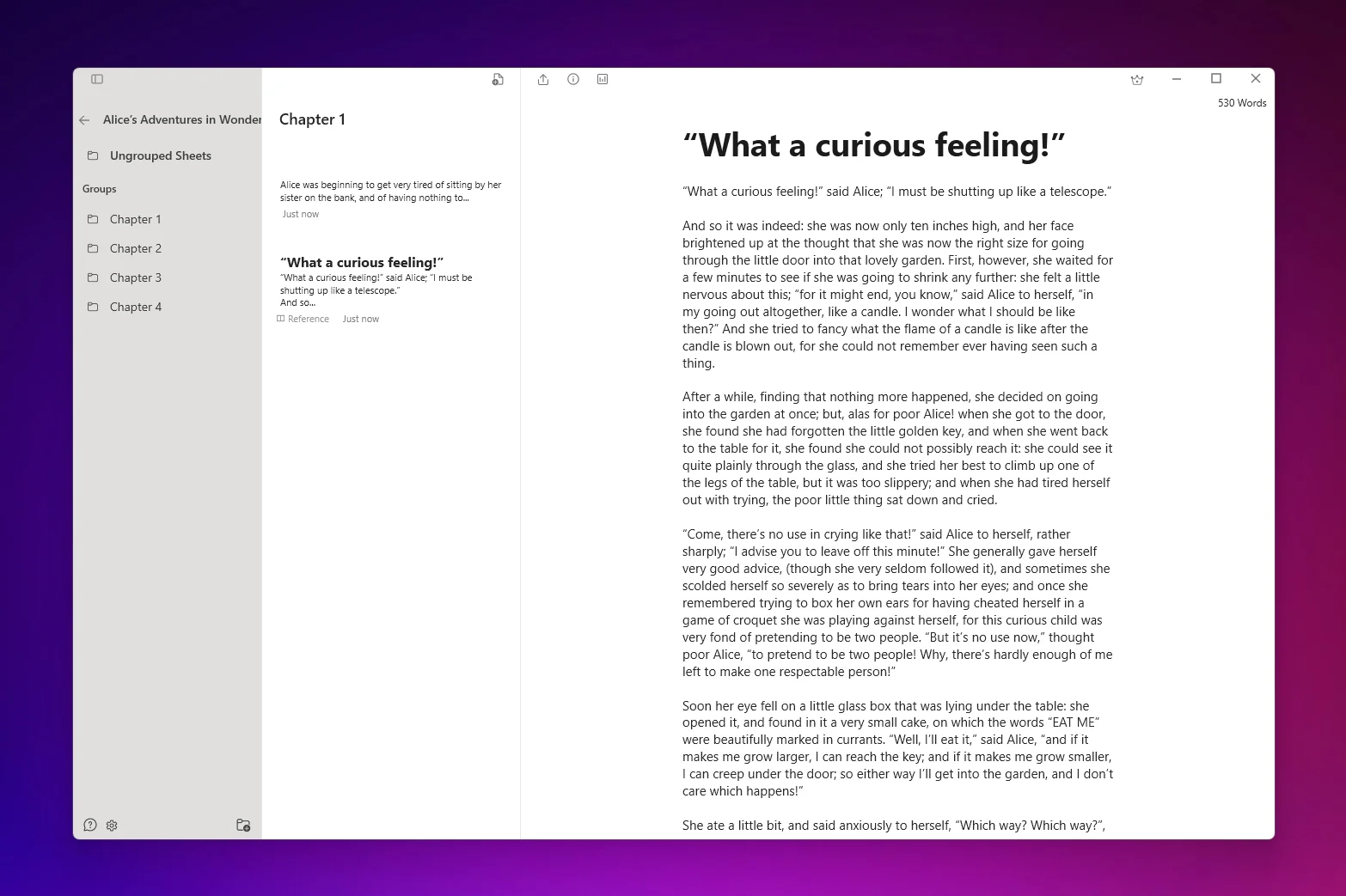
- Project folders: Organize books, chapters, and notes
- Smart filters (Windows): Saved searches across your library
- Optional Markdown editor (Windows): Format without lifting your hands from the keyboard
- Word count goals: Track your daily and project progress
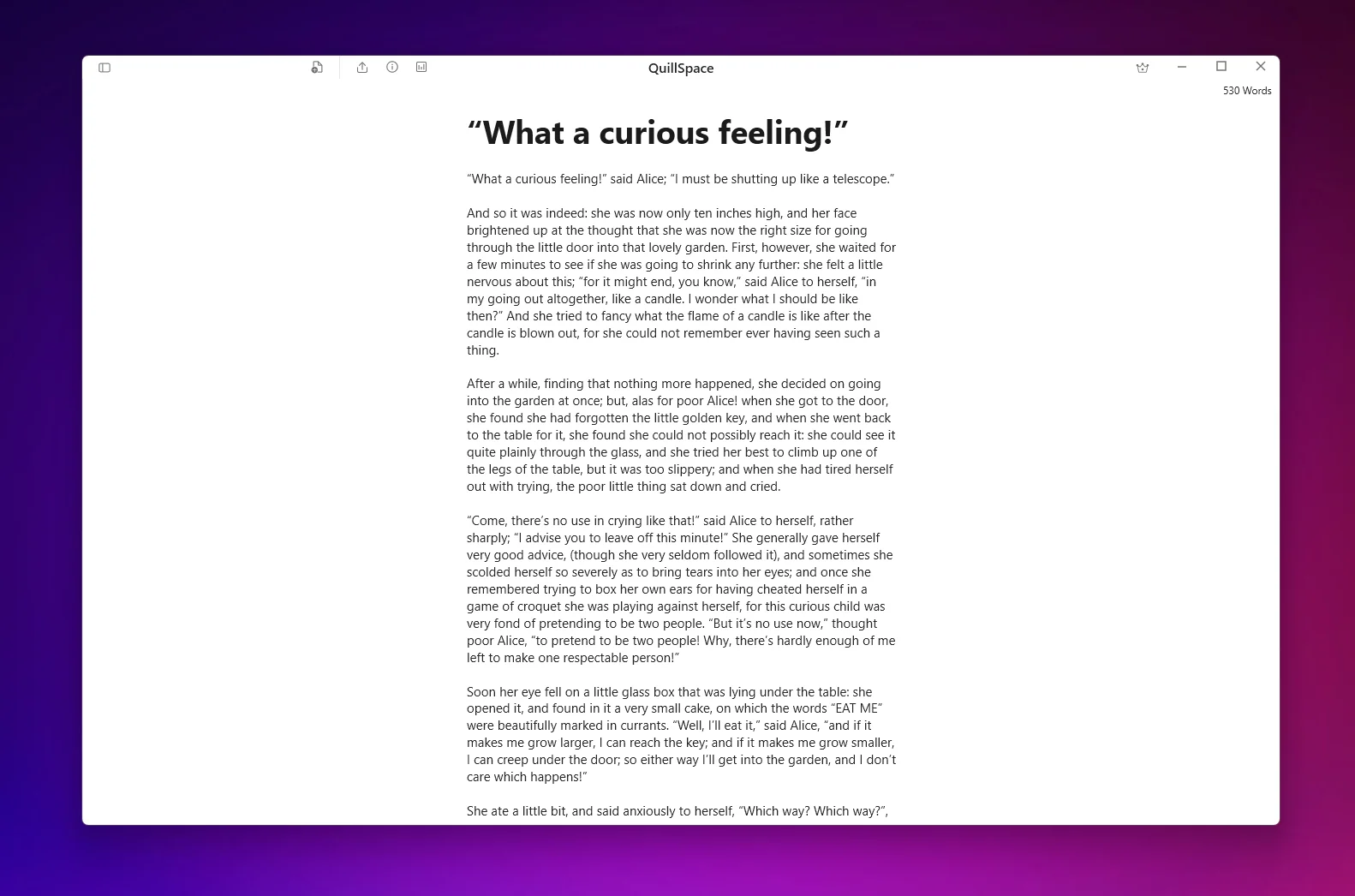
Unlike browser-based tools, QuillSpace is native software on Windows and Mac. That means fast startup, smooth performance, and no Electron lag.
Your work is saved as plain text files on your own computer, not in someone else's cloud, and not locked in a proprietary format. You can keep your project folder in OneDrive, Dropbox, or any backup you already use.
Pricing:
- Windows: $1.99/mo, $14.99/yr, or $49.99 lifetime
- Mac: $49.99 lifetime
Best for: Novelists and indie authors on Windows or Mac who want to organize a whole book without a heavy "writing studio" interface.
Free to start. Windows and Mac are separate apps, purchased separately.
Scrivener - Best for Complex Book Projects
Scrivener is the "writing studio" that novelists have trusted for years. It excels at managing complex, research-heavy projects.
Core features:
- Binder: A sidebar showing your entire manuscript structure
- Corkboard: Virtual index cards for visual planning
- Outliner: Spreadsheet-style view of scenes and chapters
- Compile: Assemble your manuscript for export to Word, PDF, ePub
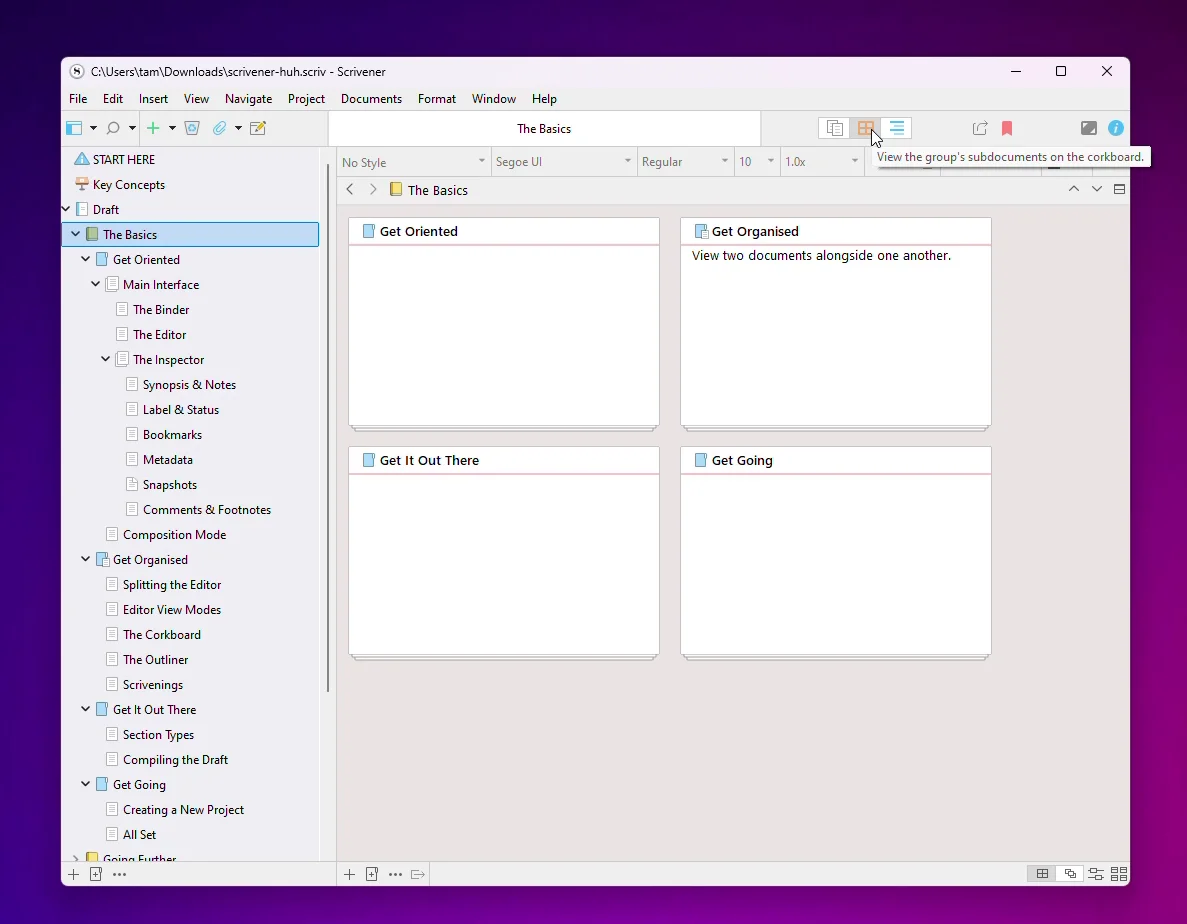
The trade-off: Scrivener has a steep learning curve. Many writers never use half the features. And licensing is per platform: Windows and Mac are separate purchases.
Pricing: $59.99 per desktop OS, $23.99 iOS. 30-day free trial.
Best for: Plot-heavy, research-heavy authors who want maximum control over project structure.
Ulysses - Best for Apple Users
Ulysses is a premium writing app for Mac, iPhone, and iPad. It's known for its clean, minimal interface and seamless iCloud sync.
Features include:
- Distraction-free Markdown editor
- Unified library across all Apple devices
- Built-in proofreading
- Export to eBooks, DOCX, PDF, HTML
- Direct publishing to WordPress, Ghost, Micro.blog
The honest limitation: Ulysses is Apple-only. If you use Windows, look elsewhere.
Pricing: $5.99/month or $39.99/year (subscription only).
Best for: Writers who live entirely in the Apple ecosystem and want a polished experience.
On Windows? See our guide to Ulysses for Windows and its closest alternatives.
Atticus - Best for Writing + Formatting
Atticus positions itself as an all-in-one tool: write your book and format it for publication in the same app.
It's browser-based but works offline (with caveats: import/export requires internet). Supports Windows, Mac, Linux, and Chromebook.
Pricing: $147 one-time with lifetime updates. 30-day money-back guarantee.
Best for: Indie authors who want to reduce tool-switching by combining drafting and formatting.
yWriter - Best Free Novel Writing Software
If you want a free writing app built for novelists, yWriter is the strongest option on Windows.
It breaks your novel into chapters and scenes, supports drag-and-drop reordering, and includes character/location tracking.
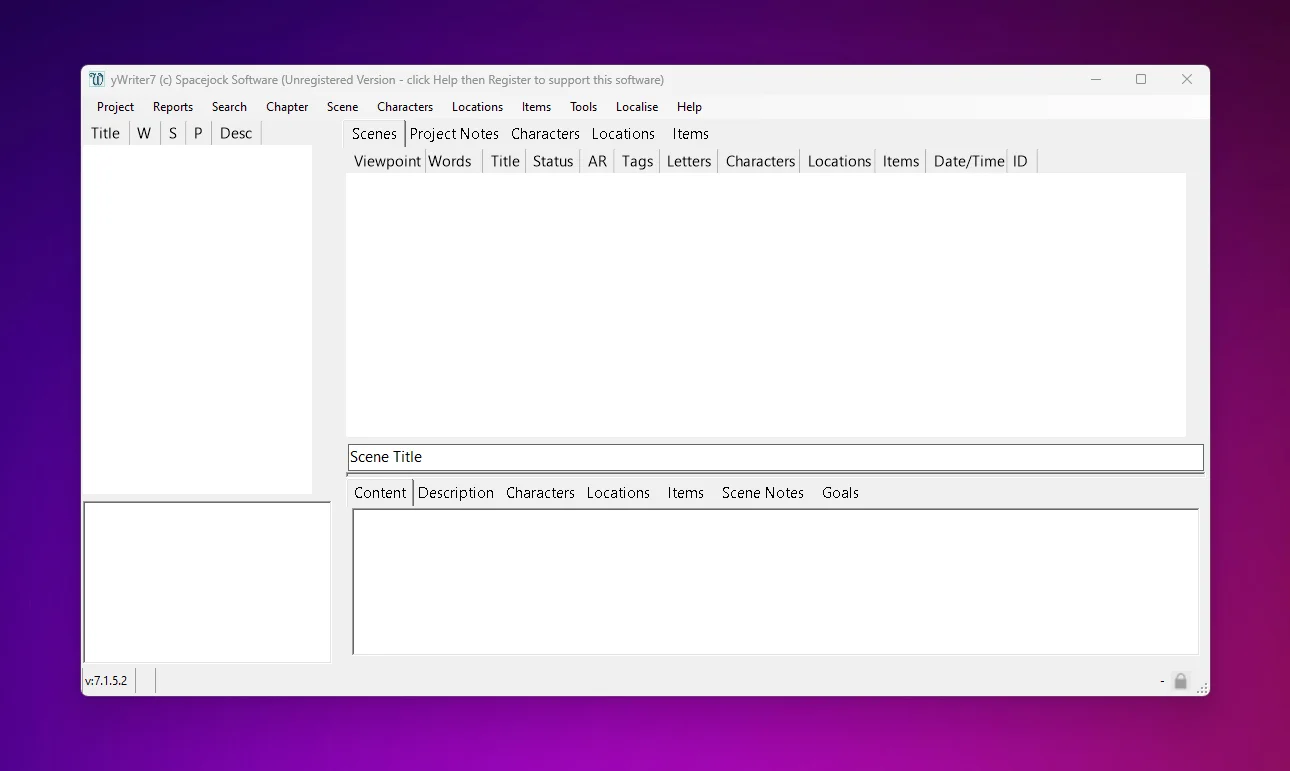
The trade-off: yWriter prioritizes function over modern polish. The interface looks dated, and there's no cloud sync built in.
Pricing: Free on Windows.
Best for: Budget-conscious fiction writers who want scene-level organization.
Novel Writing Sites (Web-Based Platforms)
These are subscription-based platforms that run in your browser. They typically include planning tools, cloud sync, and cross-device access.
Dabble - Best for Plot Planning
Dabble combines drafting with plotting tools like the Plot Grid, a visual story planning board.
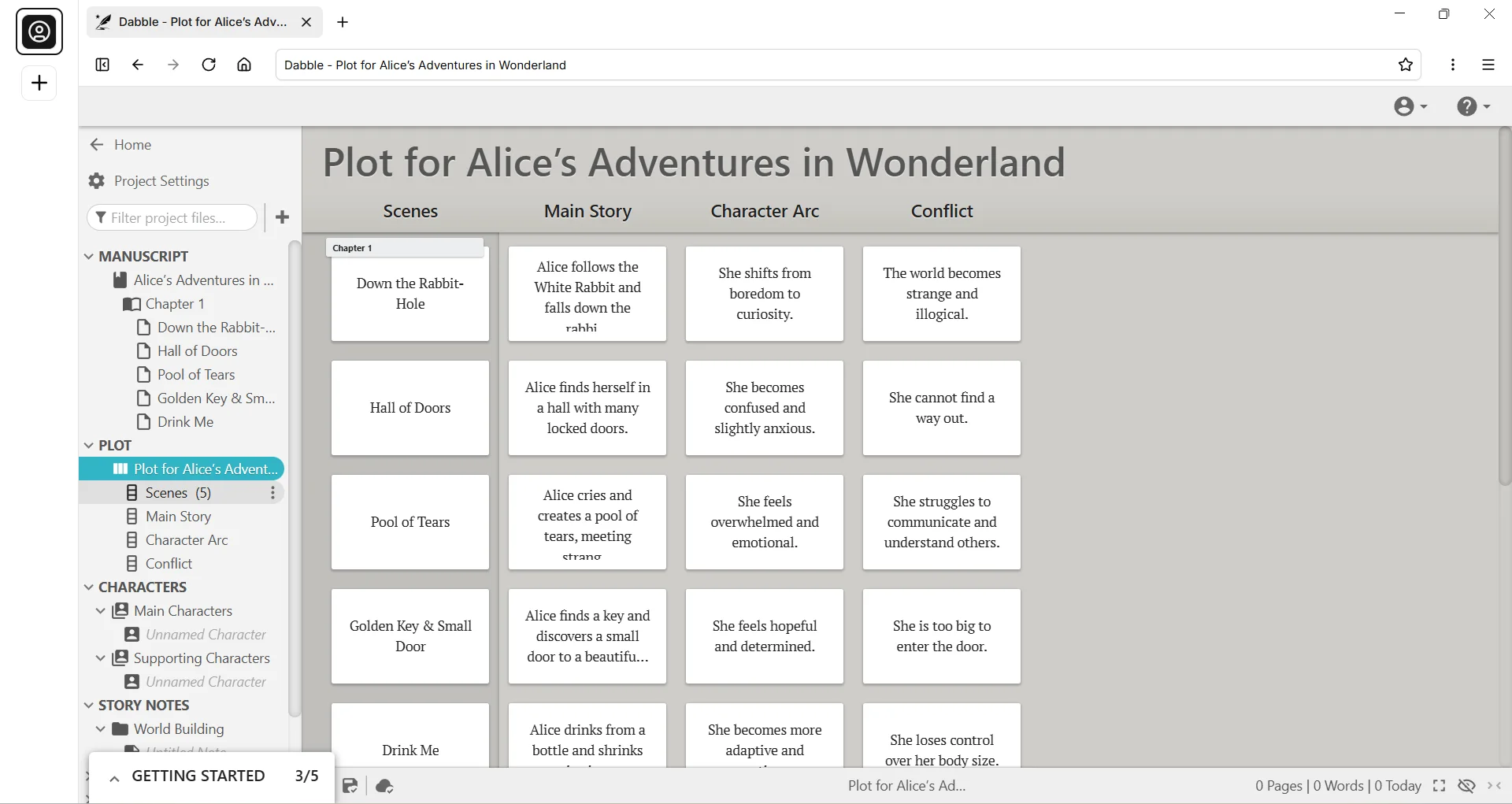
Features include manuscript organization, focus mode, story notes, and word count goals. Premium tiers add grammar checking and co-authoring.
Pricing: $9/mo (Basic), $19/mo (Standard), $29/mo (Premium), or $699 lifetime. 14-day free trial.
Best for: Novelists who want plotting and drafting in one tool.
LivingWriter - Best for Templates + Structure
LivingWriter is a web-based writing app that emphasizes structure: story boards, research boards, and templates for different genres.
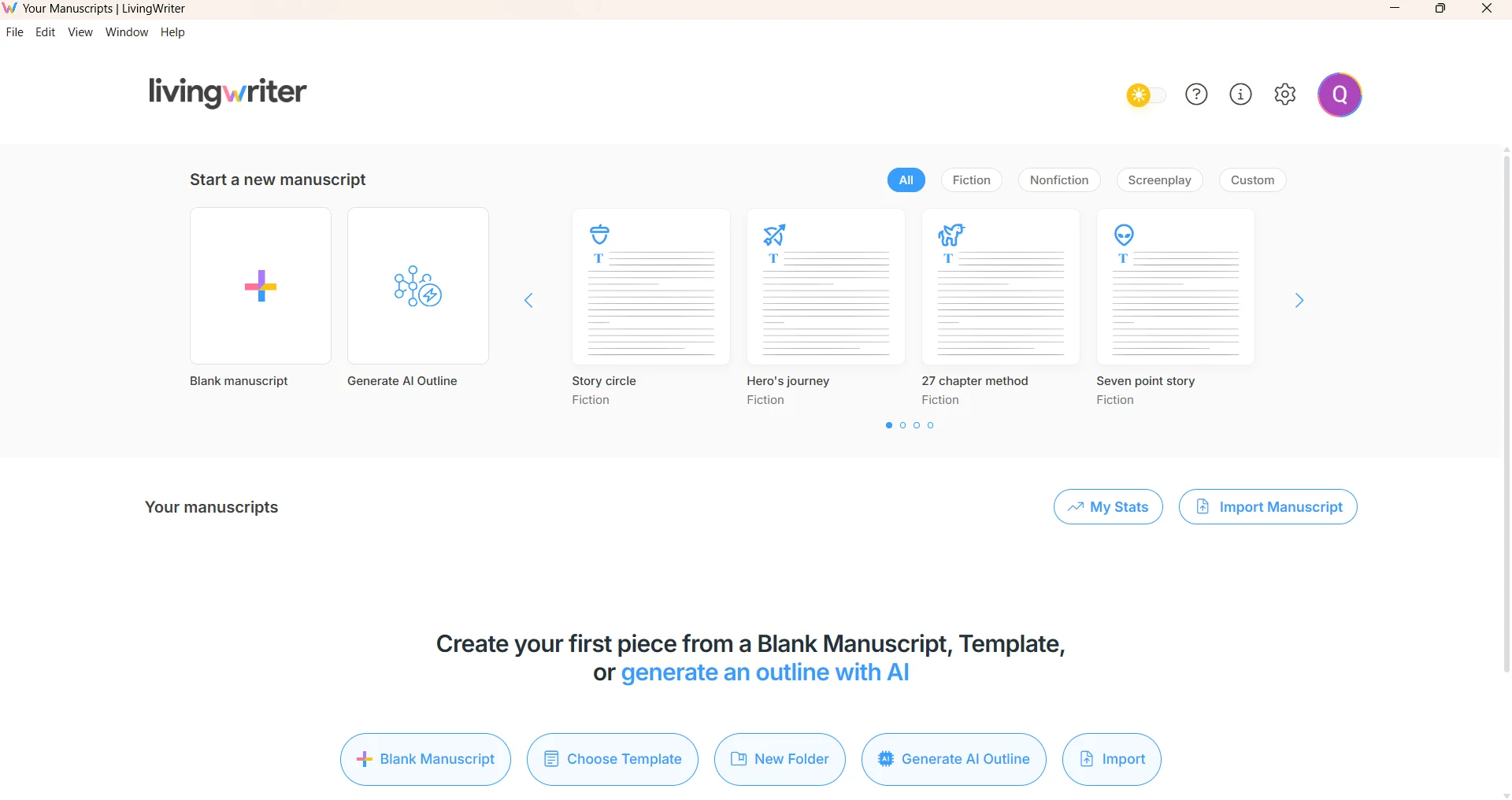
Pricing: $14.99/mo, $12/mo billed yearly, or $699 lifetime. 14-day free trial (no credit card required).
Note: Subscriptions are non-refundable per their terms.
Best for: Writers who want a structured workspace with templates.
Novlr - Best Free Tier
Novlr offers a genuinely useful free plan plus paid upgrades for more projects and features.
It emphasizes goals, writing streaks, and a clean interface. Pro tiers add backups to Google Drive/Dropbox.
Pricing: Free (Starter), $6/mo Plus, $14/mo Pro (billed yearly), or $499 lifetime.
Best for: Habit-driven writers who want metrics and a simple UI.
General-Purpose Writing Programs
These aren't built specifically for novelists, but many authors use them daily.
Microsoft Word
Word remains the industry standard for manuscript submissions, editing, and collaboration.
If you work with editors, beta readers, or publishers, you'll probably need Word for Track Changes, comments, and DOCX compatibility.
Pricing: Microsoft 365 Personal $99.99/year, or Office Home 2024 $179.99 one-time. Word for the web is free.
Best for: Editing, collaboration, and submitting manuscripts.
Google Docs
Google Docs is the default for real-time collaboration. Multiple people can edit simultaneously, leave comments, and access version history.
The limitation: it's not designed for novel-length organization. Many authors draft in dedicated software, then move to Docs for feedback.
Pricing: Free.
Best for: Co-authors, editor feedback loops, and teams.
Grammar, Style, and Clarity Tools
These tools help you polish your prose. Use them as a second pass. Never let them override your voice.
Grammarly - Best for Broad Coverage
Grammarly works everywhere: desktop app, browser extension, mobile keyboards. It catches grammar issues, suggests style improvements, and checks tone.
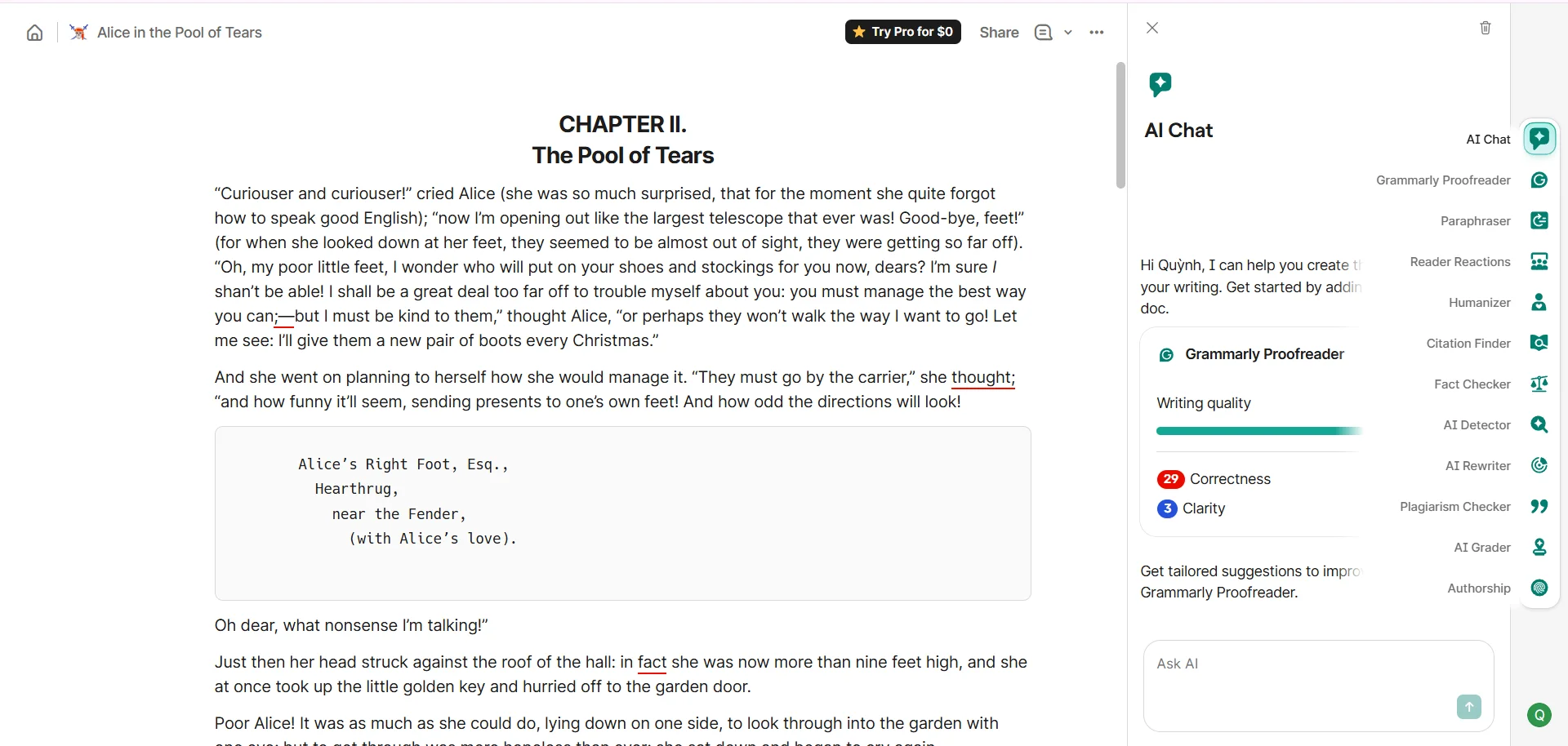
Pricing: Free basic, Pro $12/month with 7-day trial.
Best for: Writers who want fast feedback across many apps and sites.
ProWritingAid - Best for Fiction Writers
ProWritingAid goes deeper than basic grammar checking. It provides reports on pacing, dialogue, sentence variety, and more.
It integrates with Google Docs, Scrivener, Word, and many writing platforms. They explicitly state they won't use your text to train AI.
Pricing: $120/year Premium, $144/year Premium Pro, or $399 lifetime. 3-day refund window.
Best for: Fiction writers who want detailed feedback on storytelling elements.
Hemingway Editor - Best for Readability
Hemingway highlights issues like passive voice, adverbs, and complex sentences. It gives your writing a readability grade.
The desktop app works offline. The Plus subscription adds AI rewrites and advanced grammar checking.
Pricing: $19.99 desktop (one-time), Plus $25/month or $100/year.
Best for: A quick clarity pass before final edits.
Research Tools
Zotero - Best for Citations and Sources
Zotero is a free research assistant for collecting, organizing, citing, and sharing sources.
It works across Mac, Windows, Linux, iOS, and Android. The app is free; you pay only for cloud storage if you need to sync PDFs across devices.
Pricing: App free. Storage: 300MB free, 2GB $20/year, 6GB $60/year, unlimited $120/year.
Best for: Nonfiction authors, researchers, and anyone managing citations.
Project Management for Authors
Notion - Best for Author OS
Notion is an all-in-one workspace where you can build an "author operating system": research databases, character bibles, submission trackers, editorial calendars.
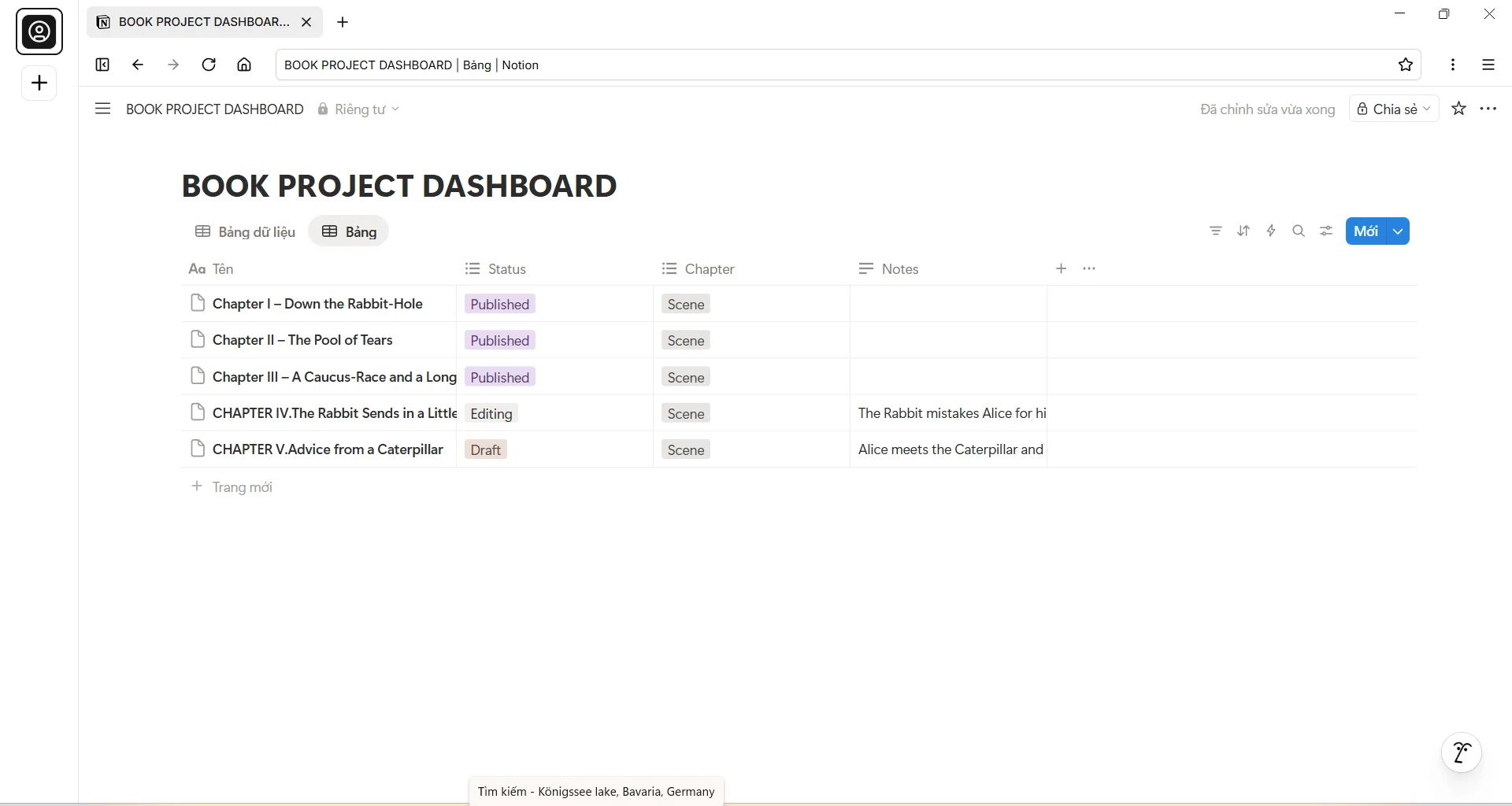
Pricing: Free (personal), Plus $10/seat/month, Business $20/seat/month.
Best for: Authors who want to manage their entire writing life in one place.
Which Writing Tool Should You Choose?
Here's a scenario-based guide:
If you want Scrivener-style organization you can learn in an afternoon:
→ QuillSpace (Windows or Mac), paired with Grammarly for editing.
If you're building a complex book with lots of research:
→ Scrivener for organization and compile.
If you're Apple-only and want premium polish:
→ Ulysses for writing across all devices.
If you're self-publishing and want writing + formatting:
→ Atticus for the all-in-one workflow.
If you want a web-based tool with plotting features:
→ Dabble or LivingWriter.
If you're on a budget:
→ yWriter (free) + Google Docs for collaboration.
If you mostly need editing and collaboration:
→ Microsoft Word or Google Docs.
FAQ
What are the most important writing tools for authors?
A practical toolkit usually includes: one dedicated writing app (for drafting), one editing assistant (grammar/style), one project management system (to stay consistent), and optionally a research manager if you cite sources.
What's the difference between writing tools and writing apps?
"Writing apps" typically mean where you draft (QuillSpace, Scrivener, Ulysses). "Writing tools" is broader: it includes drafting plus editing, research, planning, and publishing helpers.
Are novel writing sites better than desktop software?
It depends on your workflow. Web-based platforms offer cross-device access and built-in sync. Desktop tools can be faster, work offline reliably, and often have one-time pricing instead of subscriptions.
How much should I spend on writing tools?
If you write regularly, one-time purchases are usually more cost-effective over years. Subscriptions make sense for short projects or when you need premium features temporarily. Compare lifetime pricing and refund terms carefully.
Will grammar tools ruin my author voice?
They can if you accept every suggestion blindly. The safe workflow: draft first without grammar checking, then run tools as a second-pass checklist. Keep your intent and voice as the final authority.
What's the simplest workflow for finishing a book?
Use one drafting app consistently, one project board to keep momentum, and a repeatable edit loop (grammar → clarity → feedback). Complexity usually hurts completion more than it helps.
Ready to Start Writing?
QuillSpace keeps your whole manuscript organized, with a focus mode for drafting.
Free to start. Windows and Mac are separate apps, purchased separately.
Disclosure: This article is published by QuillSpace. We've done our best to provide honest, accurate comparisons for every tool listed. Pricing and features are current as of October 2026 and sourced from each product's official website.
Last updated: October 6, 2026